Export your data or delete your account
Download every post as CSV or JSON, or delete your account and what it holds.
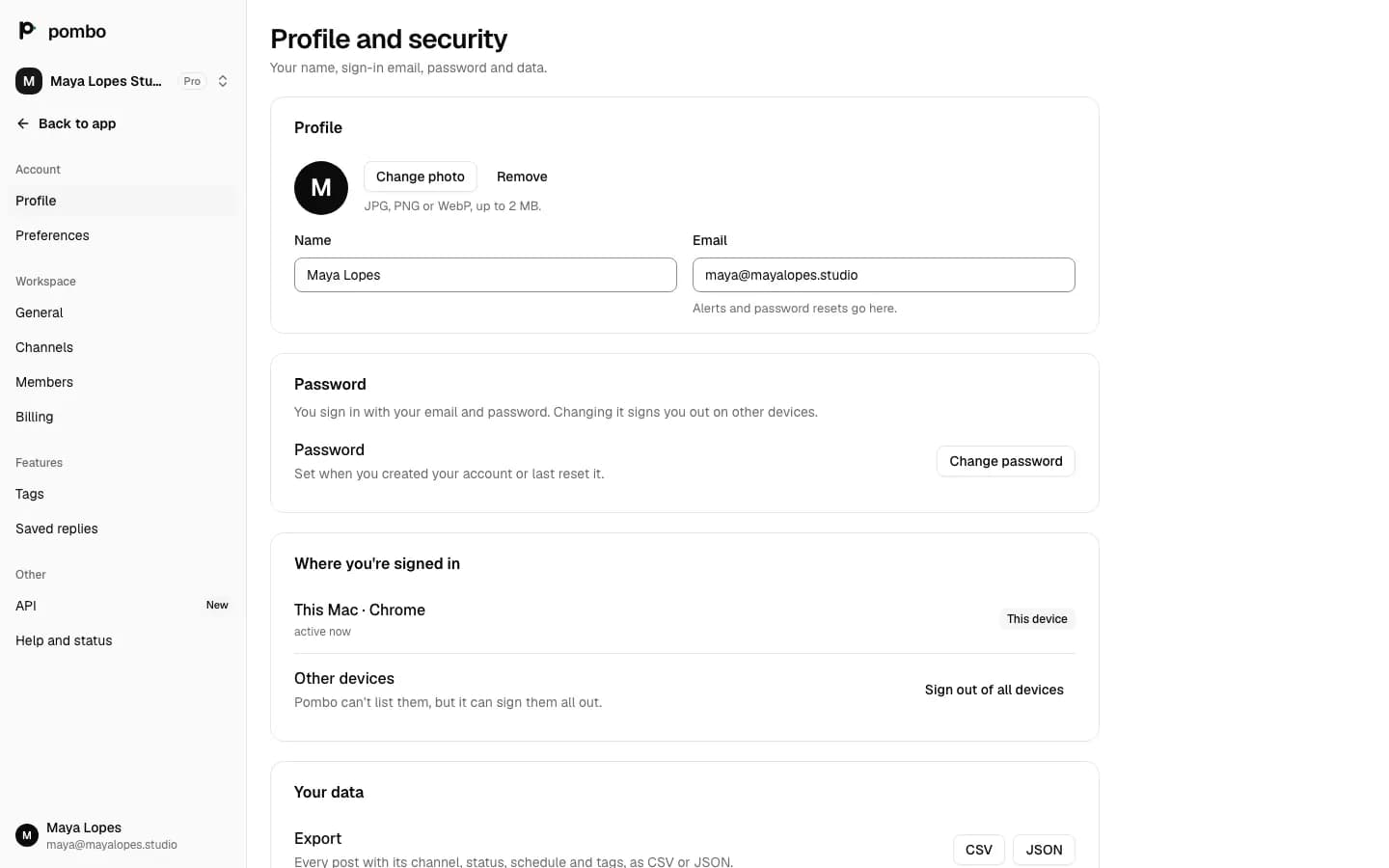
Export: go to Settings → Profile → Your data and press CSV or JSON. The file lists every post with its:
- channel, network and post type
- status and text
- tags
- scheduled and published times
- link to the live post
It doesn't include photos, videos, insights or comments. Exporting works on every plan.
Delete your account: go to Settings → Profile → Delete account.
- Type DELETE and enter your password.
- Press Delete my account. Too many wrong passwords pause it, the same as signing in.
What happens next:
- Your paid plan (Pro or Team) stops at the end of the period you paid for. You're not refunded for the rest of it.
- Workspaces only you use are deleted.
- Shared workspaces: your channels, posts and files go to another owner there, or else to the longest-standing admin. If there's neither, they are deleted. The page names who inherits each workspace before you confirm.
- A channel that can't move (the person inheriting it already has that account connected somewhere else) is deleted with your account. The page lists these channels for you.
- If you're the only owner of a workspace other people still use, you can't delete your account until you fix that.
- Logins: Pombo deletes every saved login and revokes its YouTube, Google Business Profile, LinkedIn, X, TikTok, Bluesky and Mastodon access at those networks.
- Files: your photos, videos and avatar are removed.