What happens when a post goes out
How Pombo publishes on time, retries hiccups, and keeps a receipt for every post.
Pombo checks for posts that are due every minute. When a post's time comes, Pombo sends it to the network.
Publish now means "within a minute": you'll see "Publishing now. It goes out within a minute."
When the network has a problem
- Busy or unreachable: Pombo tries again on its own, waiting a little longer each time. It only does this when it knows nothing was posted.
- Instagram's daily publishing limit reached: Pombo waits an hour and tries again.
- First comments: Pombo adds the first comment right after the post goes out. If that fails, it tries up to 3 times.
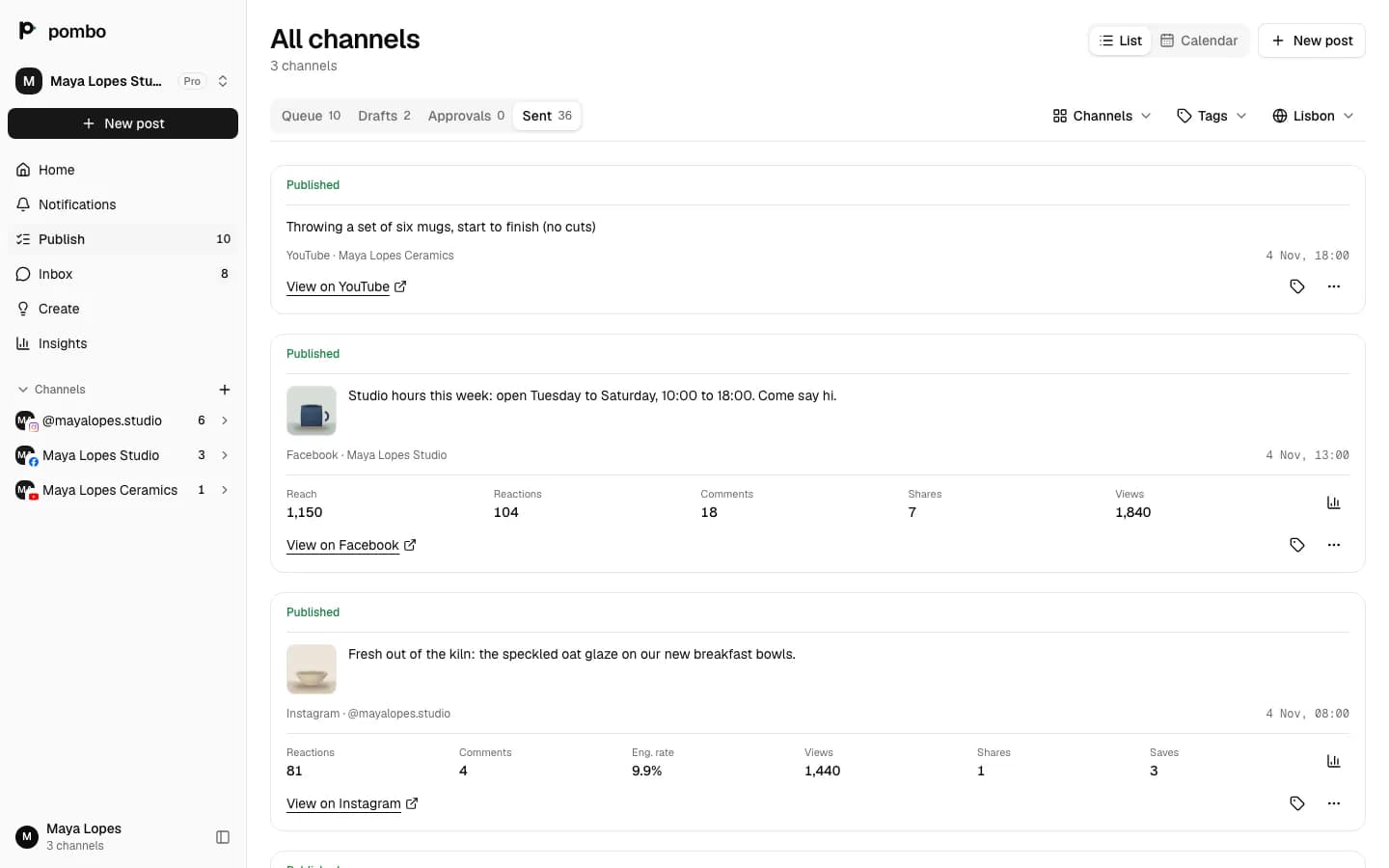
Receipts: every post that goes out lands in the Sent tab, with a receipt that shows:
- a Published status
- the photo and caption
- the network and handle
- the time, in the channel's time zone
- a View on Instagram (or Facebook, or YouTube) link to the live post
- an Attempt log when it took more than one try
YouTube private lock: YouTube may lock an upload to private even if you chose Public. When that happens, the receipt says Locked private and Notifications tells you.
Post reminders: a post set to Notify me isn't published by Pombo. At its time it's marked Reminded and Notifications reminds you to post it yourself, for a day or until you mark it as posted. Email notifications are coming soon; then the reminder also sends you the files by email.
Media storage: Pombo deletes the original files 7 days after a post goes out. It deletes unused uploads after 24 hours.