Insights and exports
See how your posts do, channel by channel, then export a report.
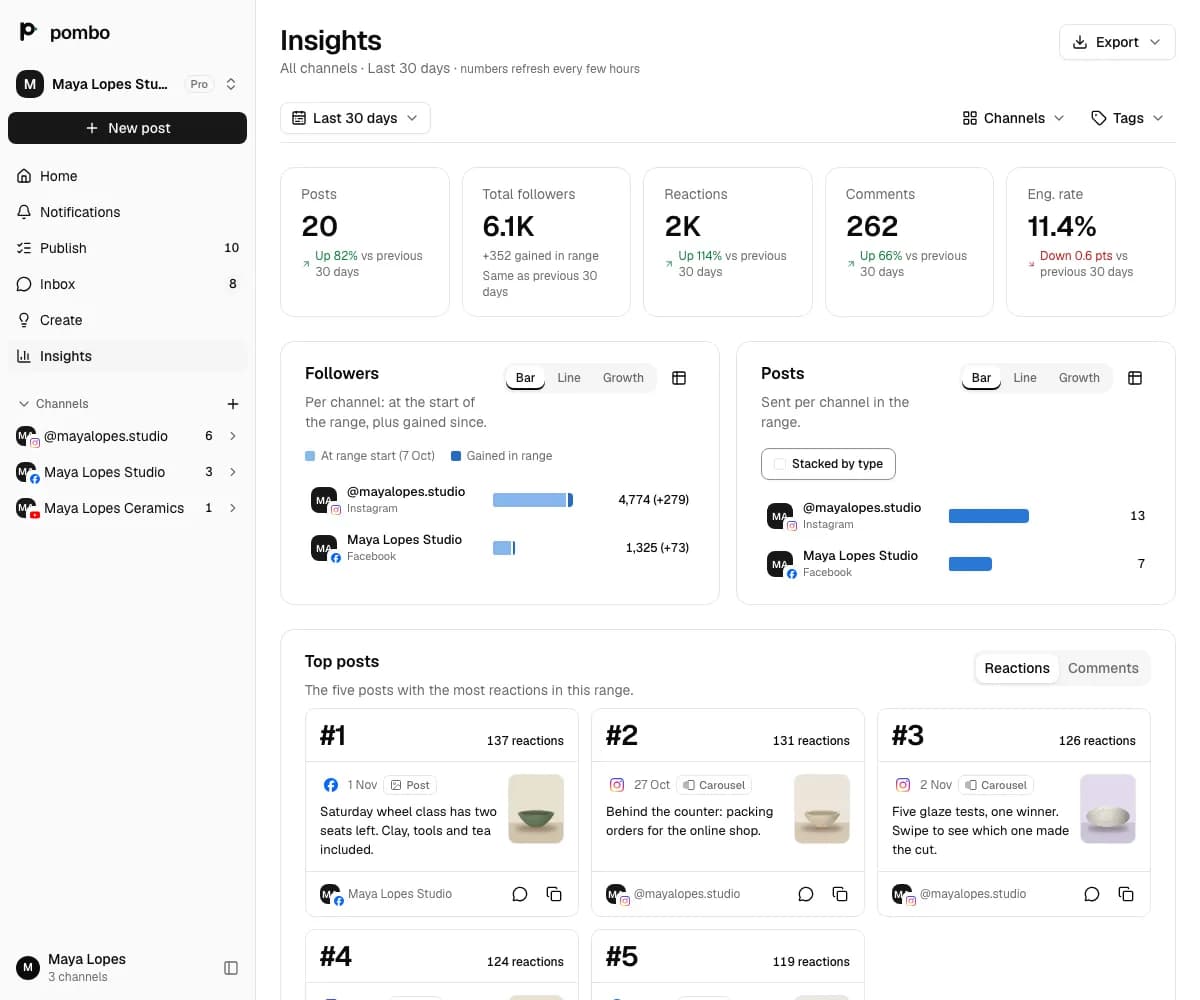
Open Insights. Insights is on every plan, Free included. Pro adds custom date ranges and file exports (CSV, Markdown, PDF and Snapshots), in the app and over the API, MCP and CLI.
What you see
- Summary: totals for Posts, Total followers, Reactions, Comments and Eng. rate. Eng. rate is reactions, comments, shares and saves divided by reach.
- Charts: for followers and for posts.
- Top posts: your 5 best, ranked by reactions or by comments.
- Performance: a table with one row per channel. Choose Columns to pick which numbers it shows and in what order; Pombo remembers your choice.
- A page per channel: choose a channel's name in the table, or Insights under the channel in the sidebar. It has that network's own numbers with the change against the previous period, a chart of any metric (this period, the previous one, or both), every post with sorting and its own columns, the best time to post from your last 90 days, and the audience (country, age and gender; Facebook no longer shares these). Choose a post to see all its numbers.
- This week's takeaways: on a channel's page, short tips from your own numbers: comments waiting for a reply, the format that did best, and how far you are from your weekly goal. Answer Helpful? with No to hide one for the week.
- YouTube: its own section, with subscribers, videos, views, likes and comments.
What Pombo collects
- Instagram posts: reach, likes, comments, saves, shares and views.
- Instagram Stories: reach, views, replies and shares.
- Facebook: views, reach, reactions, comments and shares.
Ranges and filters: Last 7 days, Last 30 days (the default), Month to date, Last month, or, on Pro, a custom range of up to 366 days. You can also filter by channel and by tag.
How fresh the numbers are: numbers arrive a few minutes after a post goes out. After that:
- Posts refresh about every 6 hours until they are 60 days old.
- Stories refresh every hour for their first day.
Export: choose Export, then CSV, Markdown, PDF (one page, Latin text only) or Snapshots (images, as a .zip), on Pro. The export uses the range and filters you set on the page.